
1489 Langley Ave
Grand Forks Afb, North.

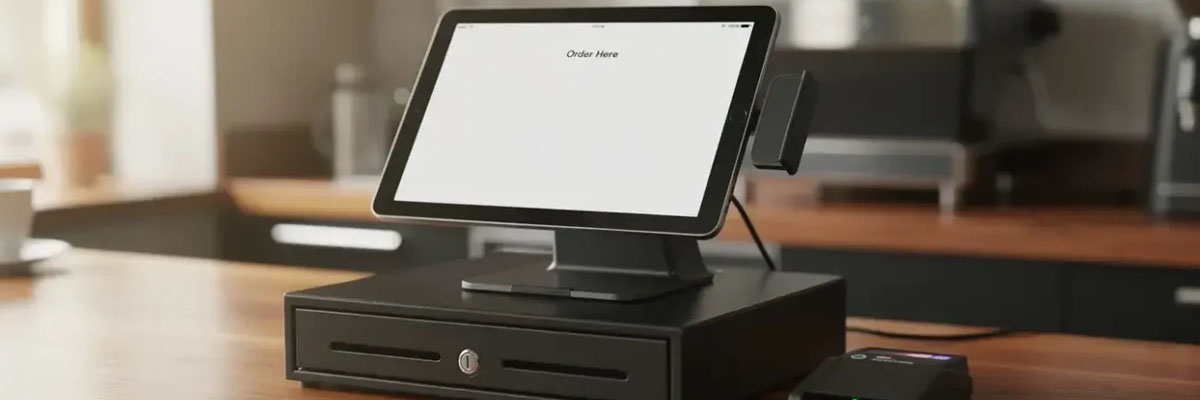
Do you have problems with your cashier stand because the cash drawer does not open, the receipt printer does not work, or the POS system does not function properly with the hardware? All these problems can be the outcome of incompatible elements instead of issues with the cash drawer itself. In this guide, we will tell you how to make sure that hardware is compatible, choose the proper type of cash drawer, evaluate security, and check the whole device before buying.
POS hardware includes the terminal/tablet, billing software, the receipt printer and cash drawer. All components must be compatible through connections and software instructions.
There are several different ways cash drawers work with standard POS printers. For example, traditionally, cash drawers plug into the specialised kick port on the cash drawer printer. Instructions for unlocking the drawer come through the printer itself from the POS program. Other systems have a straight USB cable connection, or a combination of a printer and a cash drawer in one. The way they work depends on the type of your hardware and software.
Before purchasing, verify:
Do not take it for granted that similar-looking ports are automatically compatible. There are specific requirements for electrical and pin connections for a compatible drawer. Otherwise, problems may arise.
The size of the cash drawer and the configuration of its compartments influence the rate of checkout operations and counter ergonomics. Make sure that you buy a cash drawer that will have enough room for the bills and coins you use.
It is necessary to measure the available space, especially the space required for opening the cash drawer fully. In order to estimate a high-traffic checkout counter, check the build quality, sliding functionality, number of expected cycles, and spare parts availability.
Do not forget about the media compartment if you need to insert receipts into the cash drawer. Use it only if you really require it.
While a physical lock limits access, proper cash management also relies on security measures through POS software.
Ensure the existence of individual cashier accounts, role-based permissions, manager overrides, and logging of transactions. If this feature is available, the system should also allow manual openings and generate reports for discrepancy resolution by managers.
Verify whether the drawer will open only when qualified cash transactions occur or in any other configuration as required. Such opening limits unwanted access to the cash drawer.
Keep in mind that software permissions and audit trails will be specific to the POS software used; they are not inherent to all cash drawers.
A specification form cannot prove that a whole system works properly. Ask to perform a demo using the same hardware and software set as you are going to buy.
Perform the tests on the following operations:
It is also good to know how the system functions when the receipt printer fails to work, the cable gets disconnected, or the POS program reboots.
Price is just one of many factors in your decision-making process. Compare costs related to the terminal itself, cash drawer, printer, cable requirements, software charges, installation, training, and ongoing support.
Find out about warranty service, availability of parts, repair procedures, and tech support availability. See if installation and setup are covered in the quote. If you are installing more than one checkout counter, ask about consistency of models and parts.
The proper POS machine with a cash drawer relies on compatibility, drawer functionality, access control, and proper transaction testing. Consider the entire POS system as opposed to purchasing each individual component on the basis of cost or aesthetics.
Time to upgrade your checkout desk? Reach out to a reputable POS hardware vendor and get in touch regarding the nature of your business, the number of transactions, your existing software, and the installation needs. Obtain a live compatibility test and a quoted price list.